Norm CRM — a toolkit for freelance professionals
Built by a freelancer for freelancers
Problems I solved with Norm CRM
Features I personally use every day:
About the author

Pricing
900 ₽ per month or 9,000 ₽ per year.
New users get a 7-day free trial. You can explore Norm CRM without signing up in the demo account.
Website creation and publishing are included in the subscription. You can build a website during the trial and publish it after your first payment.
Refund: within 7 days after payment.
Current paying Norm CRM users: 1
Questions and answers
Do I really need a CRM if I work on my own?
Yes, if you work with clients and make commitments. A CRM is not only for sales departments: for an independent professional, it covers some of the functions that managers, coordinators, and administrators handle in a company.
Norm CRM helps preserve your client base, the history of your agreements, deadlines, and next steps. It is also more than a CRM: it is a connected toolkit for freelance work, including tasks, meetings, commercial proposals, documents, invoices, acts, reminders, and other parts of day-to-day practice.
I already have a calendar, task manager, and spreadsheets. Why do I need another service?
A calendar stores events, a task manager stores tasks, and spreadsheets store separate lists. The problem starts when you need to assemble a complete history of one client or project from all of them.
Norm CRM does not add another isolated tool; it connects your working information. From a client card, you can move to that client’s projects, meetings, tasks, documents, and next agreements. You no longer have to remember which spreadsheet contains an amount, where a deadline was recorded, or which app holds an important promise.
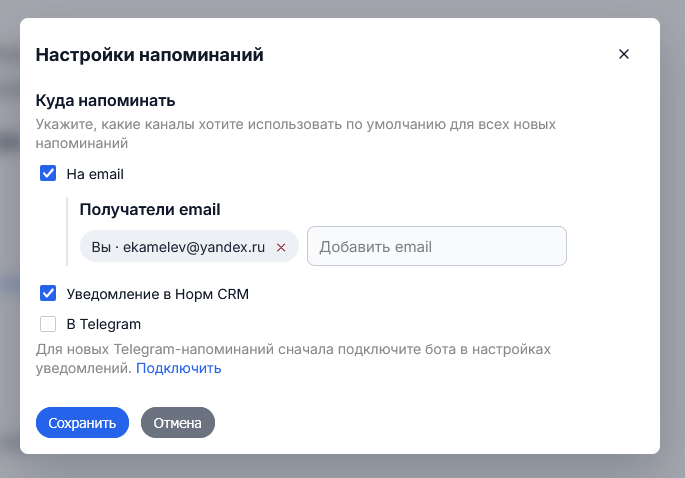
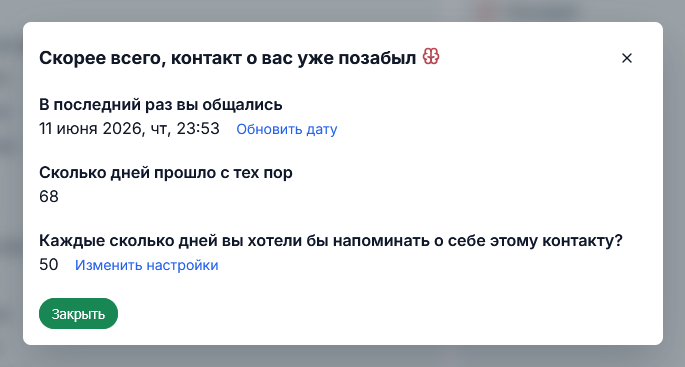
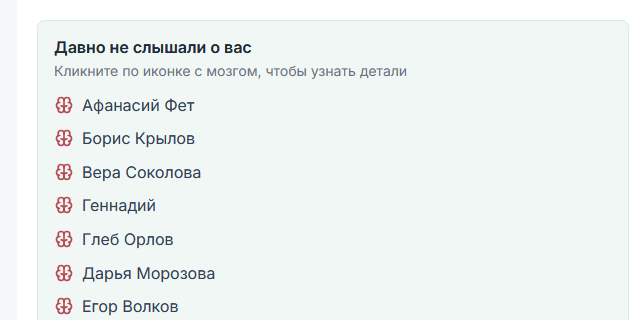
Norm CRM also handles more specialized work: it helps prepare commercial proposals, invoices, and acts, and reminds you when it is time to contact a client again.
Will keeping Norm CRM up to date turn into extra bureaucracy?
Norm CRM is designed to reduce repeated actions. Information about a client, project, or service is entered once and then used across related tasks, documents, meetings, and reminders.
You do not have to master every feature at once. Start with something useful today: prepare a commercial proposal, issue an invoice, create an act, set a reminder, or gather the commitments for a current project. The client history will then accumulate naturally as part of your regular work.
How strongly does Norm CRM impose its own way of working?
Norm CRM offers ready-made working logic, but it does not require every project to follow one rigid workflow. You choose the tools you need and how deeply you use them.
At the same time, the system is not a free-form builder for every possible production process. It is designed primarily for independent professionals who provide complex services: work that requires understanding the task, estimating scope, timing, and price, and agreeing on the result with the client before delivery begins.
Does Norm CRM make sense if I only have a few clients and projects?
Yes. The value of a client base is determined not by the number of records, but by the value of the relationships.
If a client was difficult to win, may return with more work, or could recommend you to someone else, their history is worth preserving from the start. One contact restored at the right moment, or one commitment caught in time, can matter more than hundreds of formal records.
Norm CRM is also useful for more than accumulated history. Commercial proposals, invoices, acts, tasks, meetings, and reminders are useful whether you work with three clients or thirty.
Do I have to move all my old data into Norm CRM and rebuild the way I work?
No. To begin, it is enough to add your current clients and active projects — the work you are dealing with right now.
Contacts can be imported, while older history can be moved gradually and only when it is actually needed. You do not have to spend weeks preparing the system: the first useful result can come from one specific task, document, meeting, or reminder.
How is Norm CRM different from a conventional CRM for a sales team?
Conventional CRMs usually focus on sales pipelines, manager oversight, and processing a large number of deals.
Norm CRM covers the entire independent client practice: from the first enquiry and task estimate through the project, documents, financial records, result, and next contact. A client does not disappear after a deal is marked as won: the complete history of the professional relationship remains available.
Can I explore Norm CRM before I pay?
Yes. New users get a 7-day free trial in their own account: you can add clients, work with tasks and documents, and see whether the system suits you. A paid subscription is required to continue after the trial.
You can build a website during the trial. To make it available to visitors, you need to make your first subscription payment — there is no need to wait until the week is over.
If you would like to look around without signing up first, there is a demo account with fictional data. It is a separate sandbox for exploring the interface; information about real clients belongs in your own account.
What happens to my data if I stop using Norm CRM? Can I take it with me?
When the paid period ends, regular work in the CRM is paused, but the account and working data remain in a free archive mode for 36 months.
In archive mode, you can renew the subscription, manage account security, prepare an export, or delete your data. You do not have to pay merely to export or delete it. Norm CRM sends notices 60 and 30 days before scheduled final deletion.
The export includes the main CRM data and original uploaded files. Tables are saved as CSV, while structured data is saved as JSONL. Website structures, account settings, and connected integrations are not currently included.
How safe is it to store client and project data in Norm CRM?
Instead of making an abstract promise of absolute security, Norm CRM uses specific protective measures.
Connections to the service are protected with HTTPS, and passwords are stored only as cryptographic hashes. You can enable sign-in with a one-time authentication code. Access to private objects is checked for each user, sensitive actions require additional confirmation, and password guessing and other large-scale attempts are limited.
The system records security events, limits the data written to logs, and uses backups for disaster recovery. Access to CRM content is allowed only to the extent necessary for support, security, recovery, or compliance with a lawful request. User data is not used to sell client databases or for undisclosed advertising.
The security perimeter is reviewed and strengthened as the product develops and new risks emerge.
Why does a CRM build websites, and how are they connected to my working system?
A website is the public-facing part of the same working system. The CRM helps you manage clients and projects, while the website presents your services, work, and reviews to potential clients and brings in new enquiries.
You can publish selected services, portfolio entries, and reviews from the CRM and add enquiry forms. You choose which materials to publish: your private client base and working correspondence are not published automatically.
Websites are included in the Norm CRM subscription. You can create and edit them during the trial; publishing them for visitors becomes available after your first subscription payment.
Why are reviews and a portfolio part of a CRM at all?
Because they are a continuation of the client relationship. The best time to ask for a review is right after a project, while the client still remembers the process and result. A portfolio entry is also easier to prepare while the materials and decisions are still in front of you.
Norm CRM helps you collect these materials as you work. You can publish selected reviews and portfolio entries on your website so that the results of completed projects help bring in new enquiries.
What if I already have my own website and do not want to move it?
You do not have to move an existing website. You can use Norm CRM to manage reviews, portfolio entries, and services, then add selected materials to your own website manually.
Built-in websites are an additional tool — for example, for a separate service, a new direction, or an advertising campaign. You can manage several websites in Norm CRM at the same time.
What happens to my websites if I stop paying for Norm CRM?
When your active access to Norm CRM ends, published websites become unavailable to visitors. Their content, settings, and saved versions remain with your account data in archive mode.
After you renew the subscription, websites suspended because your access expired become available again. Websites you manually unpublished are not republished automatically.
Exporting a website’s structure to another hosting provider is not supported yet. You can export the main CRM data and original uploaded files separately.